
Phone INFO+ ★Samsung★
Written specifically for SAMSUNG phones
DONATED (Plus) FEATURES:
- Ad-Free
- Export info to the SD Card
- 'Secret Codes'
- List all of Samsung secret codes (HiddenMenu) on your device. Note: You may need ROOT to launch secret codes (use 'Launch 0' method).
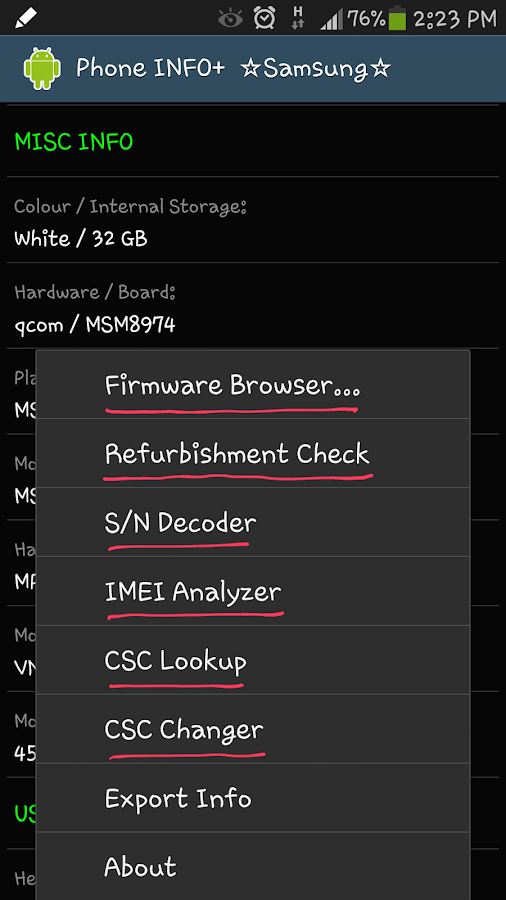
- 'Firmware Browser'
- Browse for the stock firmwares available online, for your phone and for any other Samsung model.
- View firmware's details, and redirect to the SamMobile.com website for the download link.
- 'CSC Changer': Allow you to change the CSC.
- WARNING: Changing the CSC will Factory Reset your device (wipe all user data).
- May need root access on the newer models. Also need Multi-CSC firmware.
- 'Refurbishment Check'
- Supports ALL Samsung models (formerly '[Note 3] Fake / Clone Detector').
- 'Device Usage Counter'
- 'CSC Code Lookup' (CSC - Consumer Software Customization, aka Sales Code, or Region Code)
- You can search for the CSC code (e.g. XME or BTU), or the country/network name (e.g. Malaysia or Vodafone...).
- 'S/N Decoder' - Obtain information about Country of Origin and Manufacturing Date from Samsung serial number. You can enter serial number from ANY Samsung phone (including OLD phone, FEATURE phone and NON-SMART phone).
- 'IMEI Analyzer' - Check the IMEI for the validity by calculating the Check Digit (according to Luhn algorithm).
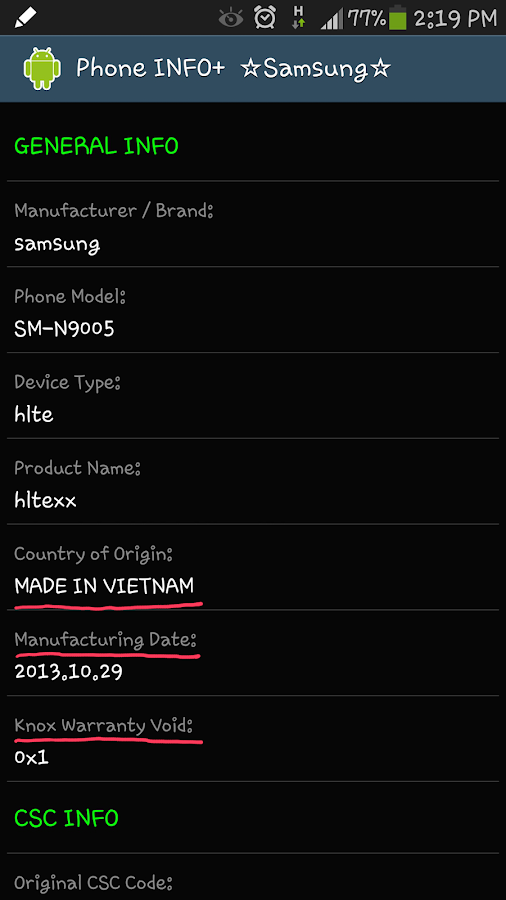
GENERAL INFO:
Manufacturer / Brand
Phone Model
Device Type
Product Name
Country of Origin
Manufacturing Date
Knox Warranty Void
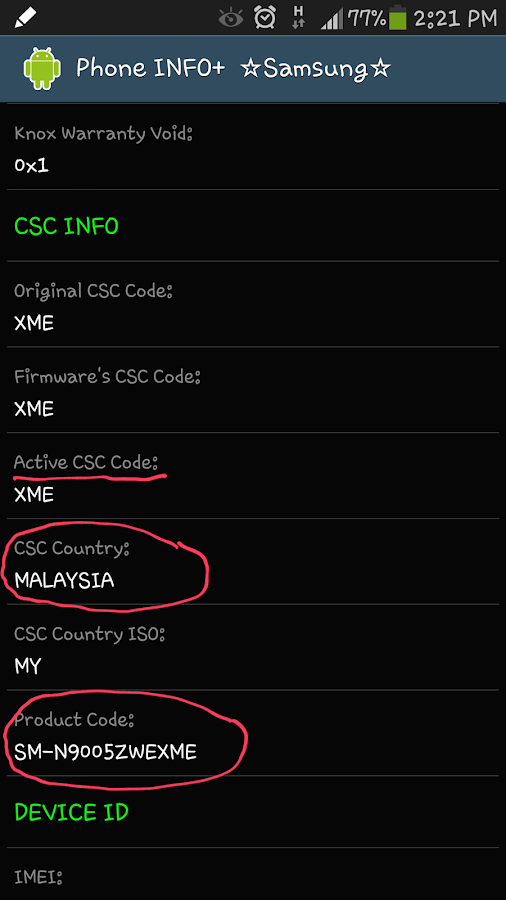
CSC INFO:
Original CSC Code
Firmware's CSC Code
Active CSC Code
CSC Country
CSC Country ISO
CSC Product Code
DEVICE ID:
IMEI
Serial No.
Samsung Serial Number
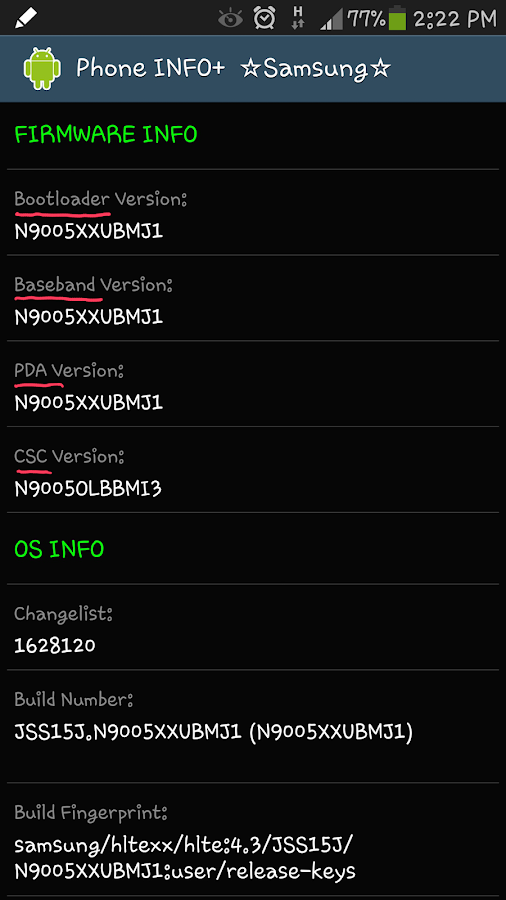
FIRMWARE INFO:
Bootloader Version
Baseband Version
PDA Version
CSC Version
OS INFO:
Changelist
Build Number
Build Fingerprint
Build Description
Build Date
Android Version
MISC INFO:
Colour / Internal Storage
Hardware / Board
Platform / Chip
Modem Board
Hardware Revision
Mobile Operator Name
Mobile Network Code
USAGE HISTORY:
Headset Connect Counter
Charger Connect Counter (root required)
S Pen Detach Counter (root required)
Please be noted that S Pen Detach Counter is available for Galaxy Note series only.
NOTE: This app works properly with the Stock Firmware. On Custom ROM some info may not show correctly.
Supporting thread on XDA: http://forum.xda-dev...d.php?t=2609045
What's New
- Minor improvement for installation location.
Requirements: Android 1.6 +


)